50 AI Design Patterns That Actually Work
Vitaly Friedman
Sr. UX Lead • LinkedIn Top Voice in UX

This course is popular
10 people enrolled last week.
Design patterns every AI product needs — and almost none of them have.
🔥 Only 4 seats left.
Most AI features ship with an empty box and an empty promise.
They pretend to be capable of everything, but break expectations instantly. They make users work harder and invite mistakes.
Meet 50 AI Design Patterns That Actually Work — from B2B, enterprise and B2C products where reliability is non-negotiable. Used by doctors, lawyers and experts who can’t afford a plausible hallucination. It's the baseline every AI product needs — and almost none of them have.
We’ll cover:
Where AI lives, from co-pilots to dashboards to agents
How users prompt, modes of thinking, missing context
Input UX, to help users articulate their intent better
Output UX, to navigate and verify AI output
Refinement UX, to customize and finetune AI responses
Trust & reliability, to prevent aversion and over-reliance
Guardrails, to set up limits in high-stakes scenarios
Agentic AI, gradual autonomy, verification layers
AI accessibility, keyboard navigation, UI states
Enterprise AI & compliance, AI labels, GDPR
You'll leave with a working reference of reliable AI UX patterns. You won't find them anywhere else. That's not a boast — it's just the reality of how long it took to find them.
What you’ll learn
A focused 5h deep-dive into 50 practical AI design patterns — from B2B, Enterprise and B2C products, applicable to your work right away.
The many expressions of AI — design patterns for co-pilots, canvases, dashboards, data grids, integrations, voice and autonomous AI agents
How users articulate intent, where they struggle, their modes of thinking and how to prevent missing context, bias and assumptions
Reusable prompt patterns, custom defaults and presets, capability awareness, AI discoverability
Pre-prompts, context chips, structured prompts, task builders to guide users toward better inputs
Modifiers, precision knobs, planning mode, prompt queues for better input and faster exploration
Speed up power users with shortcuts — batch prompting, data layers, skills, plugins, connectors, context compression
Inline mapping, prompt bridges and style lenses that make AI output readable, verifiable and directly actionable
Forced ranking, weighted outputs and voice-and-tone controls that let users shape AI responses to their exact context
Bookmarks, versioning, history, re-entry and inline reviews for iterating on output — without starting over from scratch
Calibrated trust signals, consensus meter and weighted confidence scores — to help users know when to rely on AI, and when to override it
How to calibrate transparency, show reasoning traces and data sources, and how to flag assumptions and conflicting data
Guardrails for high-stakes scenarios: permission layers, approval and escalation flows, human-in-the-loop to prevent critical errors
Gradual autonomy, AI harness, context engineering — how to communicate impact, risks and accountability to avoid over-reliance
AI accessibility and EAA: keyboard navigation, voice accessibility, UI states, open-ended prompts, streaming output
Enterprise compliance in heavily regulated industries, sensitive data, AI labelling, context isolation, sandboxing, GDPR, AI Explainability
Workshop agenda
Where AI Lives
The many expressions of AI — design patterns for co-pilots, canvases, dashboards, data grids, integrations, voice, search and autonomous AI agents
How Users Prompt
Why users get stuck before typing a single word — and how to design around it. Mental models, modes of thinking, missing context, cognitive slowdowns, the trouble with "ask-me-anything".
Input UX: Designing What Goes In
How to help users articulate intent clearly — without restricting what they can ask. Pre-prompts, context chips, task builders, intent modifiers, precision knobs, prompt queues, structured inputs.
☕ [Break, 15 mins] Stretch your legs!
Get your coffee, tea, water, snacks and everything in-between!
Output UX: Designing What Comes Out
How to make AI output readable, navigable, verifiable and directly actionable. Inline mapping, prompt bridges, style lenses, forced ranking, weighted outputs, output chunking, source attribution.
Refinement: Tweaking Without Starting Over
How to let users iterate on AI output without losing context or their hard work. Bookmarks, history, inline reviews, batch actions, comparison views, rollback patterns, re-entry.
Trust, Confidence and Guardrails
How to help users know when to rely on AI — and when to override it. Calibrated trust signals, confidence scores, consensus meters, mixed weighting, permission layers, approval and escalation flows.
☕ [Break, 15 mins] Stretch your legs!
Get your coffee, tea, water, snacks and everything in-between!
Agentic AI UX
How to design AI that acts on behalf of users — while keeping humans visibly in control. Gradual autonomy, context engineering, verification layers, sandbox previews, AI harness, rollbacks.
Enterprise AI, Compliance and Design Systems
How to make all these patterns work at scale — in regulated, role-based, high-stakes environments. AI labelling, accessibility, privacy, data, GDPR, integration in design systems.
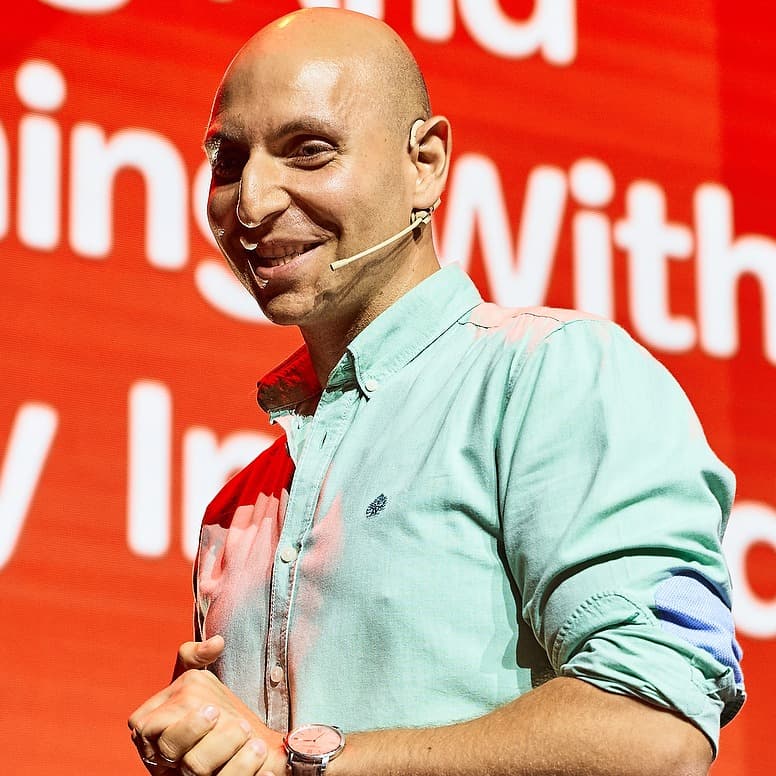
Learn directly from Vitaly

Vitaly Friedman
20 years in UX • Senior UX Lead & Advisor @ EU Parliament • Smashing





Who this workshop is for
Product designers and product managers who ship AI features in complex, data-heavy or regulated products
Design and UX Leads who want to explore established and emerging practices and make more confident UX decisions for AI
UX researchers and practitioners who want to understand how users actually use AI products and AI features, and how to improve their UX.
What's included
Live sessions
Learn directly from Vitaly Friedman in a real-time, interactive format.
Lifetime access
Go back to course content and recordings whenever you need to.
Community of peers
Stay accountable and share insights with like-minded professionals.
Certificate of completion
Share your new skills with your employer or on LinkedIn.
100s of real-world examples
Practical guidelines and UX practical to apply right away.
Maven Guarantee
Your purchase is backed by the Maven Guarantee.
Frequently asked questions
Maven for Teams
Reimbursement
Get your company to pay
Everything L&D needs: email template, receipts, and certificate of completion.
Get reimbursedTeam discount
Learn with your teammates
Save 20%+ when 2 or more teammates enroll in the same cohort.
Save 20%+ with a teamPrivate cohort
Run a cohort for your org
A dedicated cohort with a custom schedule and curriculum, tailored to your team.
Book a private cohort$350
USD
10:30am–3pm EST