Build Your AttentionOS: One System for Work, Life, Learning, and Side Quests
Alex Migutsky
Career Strategist for Software Engineers

So you stop dropping commitments, especially the ones you make to yourself.
You've tried something - Apple Notes, Things, GTD, Notion templates. It worked for a few months. Then your commitments multiplied. Attention scattered. Willpower ran out. The system collapsed.
You're not bad at productivity. Productivity systems break under load and life disruption.
AttentionOS handles work, life, learning, and side quests without dropping any commitment.
It's a methodology, not an app. Runs on your calendar and whatever capture tool you use - Obsidian, Notion, Apple Notes, Workflowy.
Every commitment lives on the same list. The top of the list is what you work on next. Q3 project, kitchen renovation, SQL course, gym gains - all compete for the same attention budget. You set your own limits and rhythm (no mandatory weekly reviews). The list reveals when you're overstretched.
The effect:
You only commit to what fits.
You finish what you commit to.
You always know what comes next.
You know how to handle surprises.
9 years of my AttentionOS: 34,000+ items, all my projects, every contact, my notes and references. Built it while shipping Microsoft To Do to 30M users.
Pause it for six months. Resume it in fifteen minutes. The structure survives.
What you’ll learn
Take on only what fits. Finish what you start. Always know what's next. Across every domain you care about.
Set up AttentionOS in your tool of choice: tasks, projects, people, references, ideas, archive - all in one structure
Replace 5+ scattered apps with a single capture surface that holds every commitment
Build the daily capture habit so nothing important lives only in your head
Set a hard cap on active project count - usually fewer than you'd like to admit
Use the LENS framework to rank your project list and pick what deserves this sprint
Park projects beyond your current capacity - they wait, intact, until you have room
Build a structured personal rhythm that aligns with your life - with flexible slots and your energy patterns
Pick the highest-priority item that fits this slot - by time, energy, and current context
Keep delivering through sick days, life surprises, energy crashes - the system helps you adapt and hold momentum
Capture what you shipped and why it mattered in a structured format - log it when it's fresh
Build a record across months and years instead of trying to remember what you did last quarter
Show specific examples on demand - dates, outcomes, what changed - instead of vague impressions
Apply the LPES cycle: Learn, Practice, Experiment, Share - one skill gap at a time
Break vague 'Learn X' goals into projects with deliverables, activities with cadence, and sharing milestones
End the cycle of consumed content with no skill to show for it - integrate learning into real output
Pause for weeks or months without rebuilding - on return, scan and pick up where you left off
Trade scheduled reviews for signal-driven maintenance: inbox backs up, sprint ends, something feels off
Use AttentionOS without switching tools - Workflowy, Obsidian, Notion, Apple Notes, or any tool with collapsible nesting
Learn directly from Alex
Alex Migutsky
Career Strategist for Software Engineers, ex. Senior Engineer @ Microsoft/GitHub
Who this course is for
You're running 5+ active projects across work, life, learning, side quests - some have stopped moving.
You've tried 2-3 productivity systems. Each collapsed when projects multiplied. You wondered what was wrong with you.
You can name the projects that mattered most this year - and the ones you keep postponing to next month. Same projects, different month.
What's included
Lifetime access
Go back to course content and recordings whenever you need to.
Community of peers
Stay accountable and share insights with like-minded professionals.
Certificate of completion
Share your new skills with your employer or on LinkedIn.
Maven Guarantee
Your purchase is backed by the Maven Guarantee.
Testimonials
Calendar + attention OS became the cornerstone of protecting different modes of brain functioning, organising inbox and rebalancing the cognitive load. It will help me answer questions like 'what've you done in the last half a year' way better than 'okay let's open my commits and try making sense of it.'
Bogdan Kirillenko
Senior Engineer at JetBrainsAttentionOS as interface to all other systems. Huge steps in making head clear with confidence I don't lose things and can find them if needed. I started dumping inbox as a routine. Completely changed the way I treat my technical decision making process as expert after learning how experts' brains work. This reduced both anxiety and time spent on the job.

Stas Tsallagov
Data Scientist and Fitness CoachI added to my calendar all things which I need to care of during a day. Visually I start seeing that I have max 5 hours of work. So I started using 'work blocks' from lecture with 25-10-25 intervals and it helped to deliver more. So I free time for myself doing the same amount of work.

Ivan M
Senior Software EngineerI've worked with Alex for a long time and his influence of me and my career is hard to measure. He helped me understand how I can scale up my influence and move beyond Senior Engineer title to something more meaningful for me. I am happy that he put all that knowledge into a course available for others!
Tim Zadorozhniy
Head of Engineering
AttentionOS Basic setup
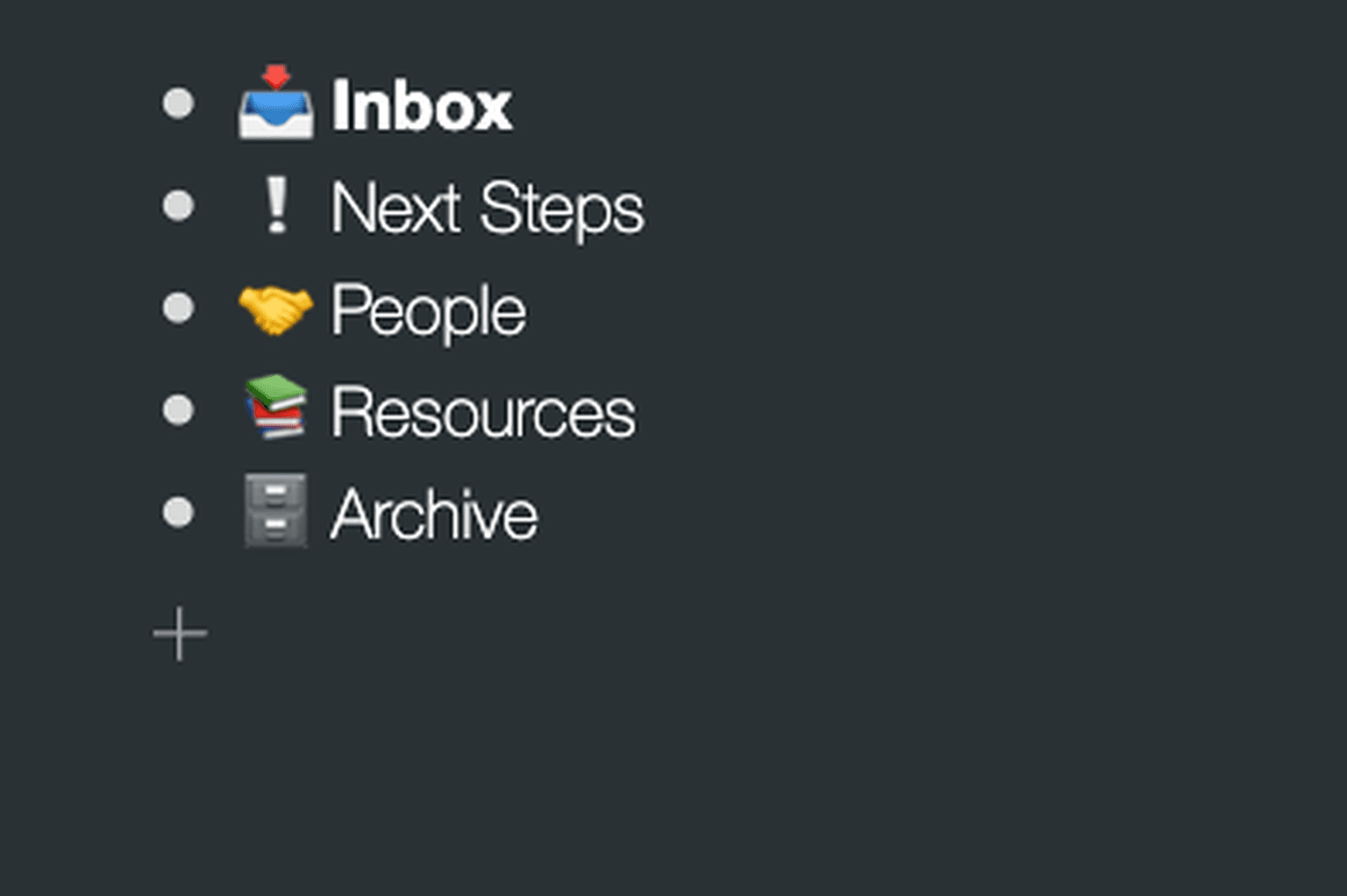
This is the starter setup for those who never had a productivity system before
AttentionOS Full setup
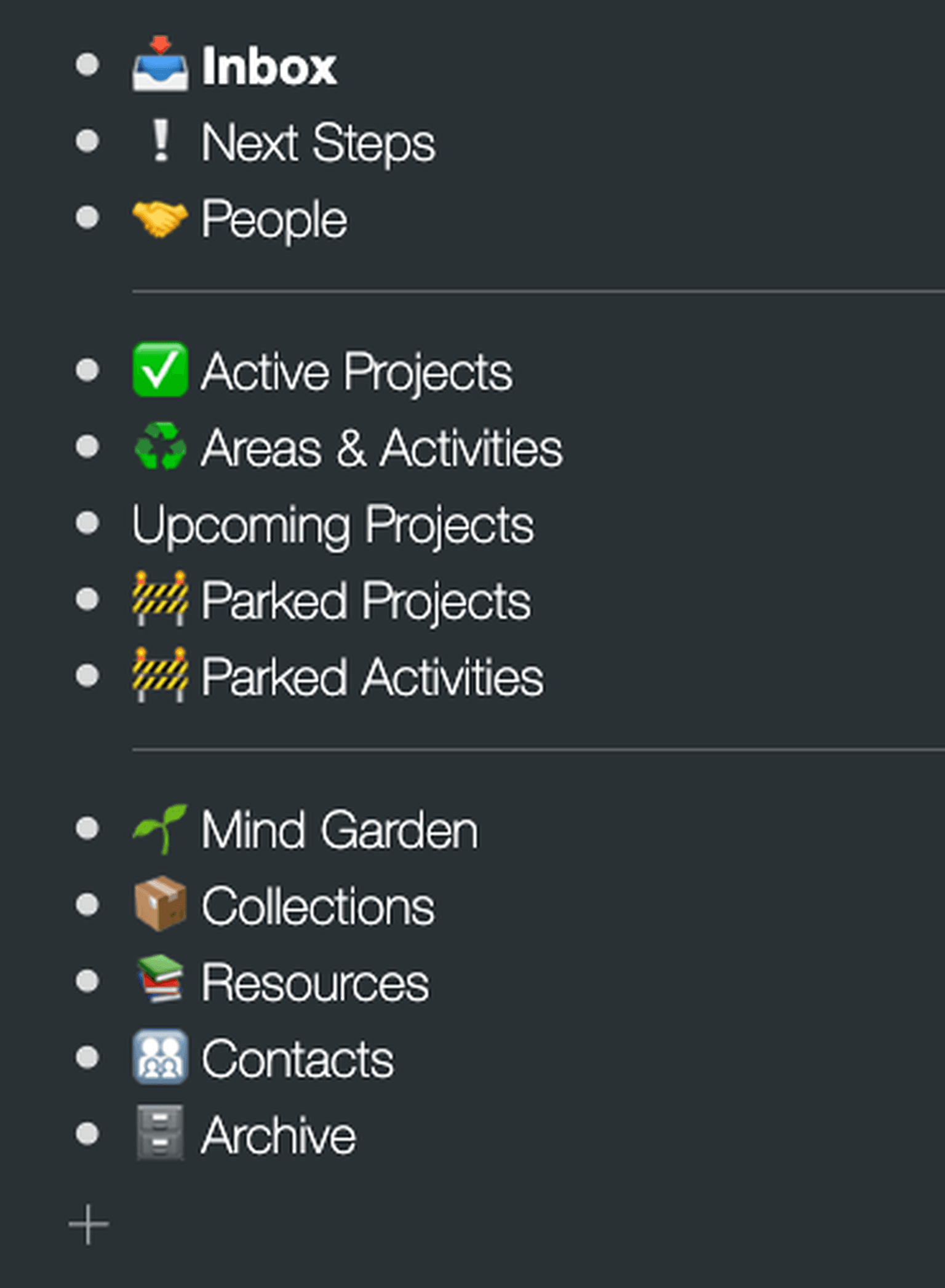
This is the full setup that you will build during the course
My current (9 years old) setup
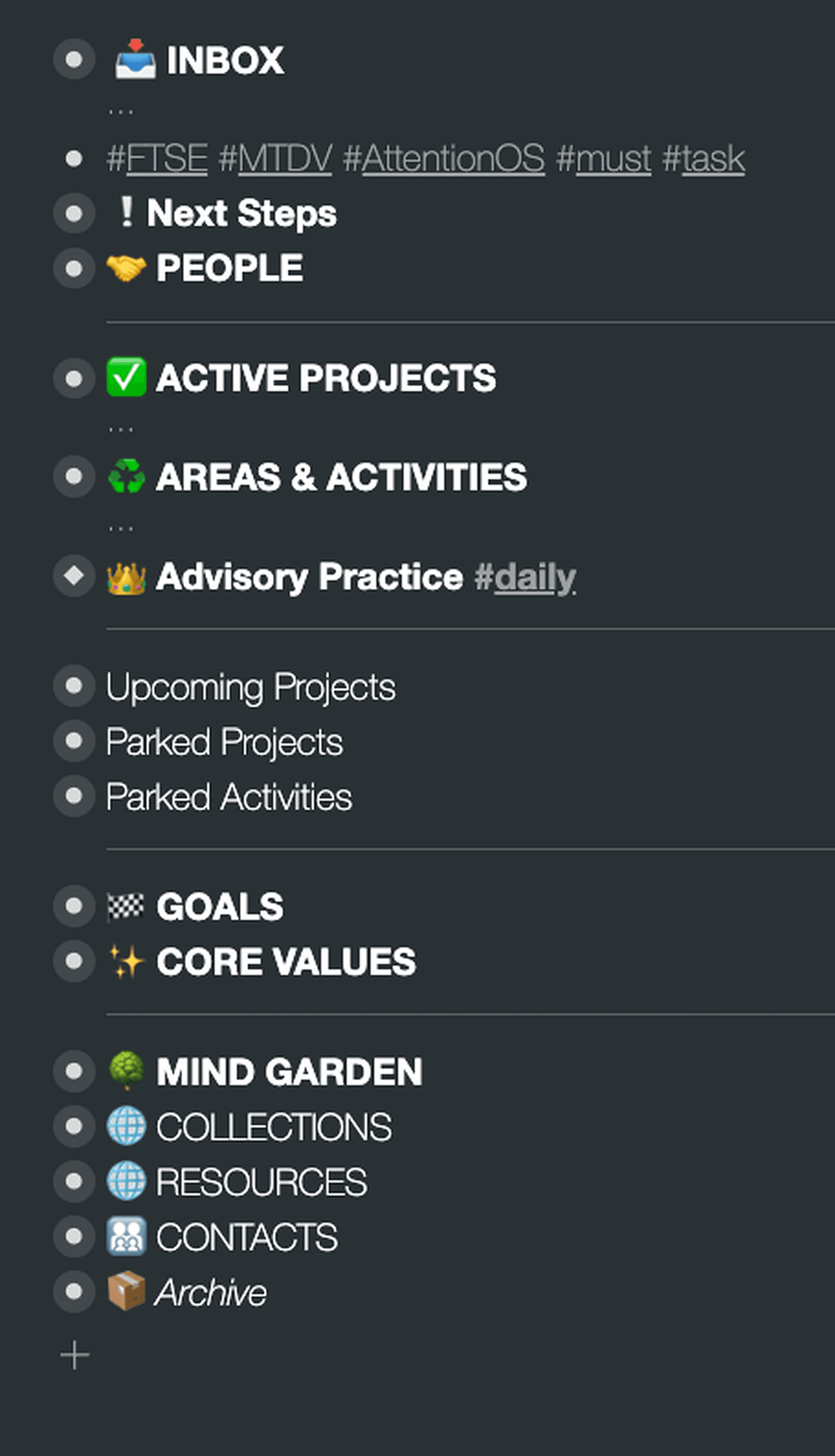
This is my current state of the system with 34000+ items.
Frequently asked questions
Maven for Teams
Reimbursement
Get your company to pay
Everything L&D needs: email template, receipts, and certificate of completion.
Get reimbursedPrivate cohort
Run a cohort for your org
A dedicated cohort with a custom schedule and curriculum, tailored to your team.
Book a private cohort