
Get the confidence to start using Claude Code as a non-coder
I spent three months alone, trying to get started with Claude Code. I opened the terminal, saw that blinking cursor, and closed it again. And I kept struggling to make sense of this new interface, the folder structure, and the markdown files. It felt like so much friction.
Until one project that required me to process a lot of local files. That was the moment I started to see the magic, the moment things started to click.
Now I'm hooked, Claude Code in the terminal is my daily working environment for my AI and product consultancy work, research, writing and automation.
My goal is to help you start using Claude Code in half a day, not in three months, as it took me. I'll show you how I'm using it and teach you concepts and mental models that will help you create your own setup.
This workshop includes offline materials and an optional session to help you get everything running before the workshop begins; this way, we ensure everyone keeps the same pace.
What you’ll learn
How to use Claude Code as a non-technical user
Understand how context window works
Start applying the Smart Zone vs Dumb Zone framework
Use Research → Plan → Execute framework
Why markdown is the best way to store information
Local folder structure, is the context structure for Claude
CLAUDE.md, the most important files on your machine
Understand what skills are
Get hands-on experience with a pre-built skill
Create your own skill from scratch
Workshop agenda
Workshop kickoff
We'll spend half a day together, so it's important to take a bit of time to get to know each other. Only after that will we go through the day's agenda and the first contact with Claude Code.
Markdown files & folders organisation
How the local files and folder structure shape what Claude Code understands about your work and how it is different from ChatGPT. Plus a walkthrough of my real, daily-use setup.
Manage your context window
What context window is, why it runs out, and how to optimise and keep a close eye on it. And I bet you'll get hooked on the Smart Zone vs Dumb Zone context window framework.
CLAUDE.md - teaching Claude who you are
Build instruction files that stack up as you move across your projects. Guardrails, preferences, working style – set once, applied in every working session.
Coffee break
We've worked hard until now, so we deserve a short break.
Models, modes and how to think about them
When to use the cheap, fast model vs the expensive smart one. And three execution modes: let Claude act, make it plan first and approve everything.
Skills – your reusable workflows
I'll demo one skill, you'll install and run it, and after that, you'll create your own skill. The intention is to help you easily identify opportunities for making repetitive tasks more efficient.
MCPs – connecting Claude Code to the world
A look at how Claude Code connects to Gmail, Google Calendar, web search, and more. You'll install and use a simple MCP, so you'll be aware of what's possible, not a deep dive.
Putting it all together
See how folders, files, CLAUDE.md, skills and MCPs are working together to help you understand what's possible for your own setup.
Learn directly from Ady
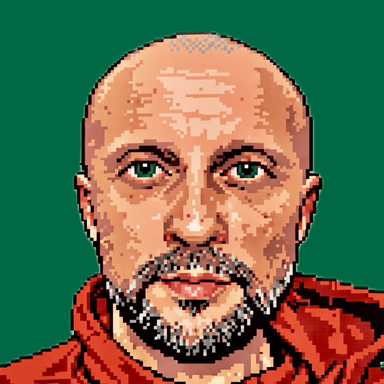
Ady Rugina
Product and AI Transformation consultant



Who this workshop is for
PMs, designers, and strategists who use AI daily but always start from scratch – and want one that remembers how they work.
Founders and team leads who want AI for real work – research, writing, analysis – not just a chatbot they prompt from scratch every time.
Non-technical professionals who assumed Claude Code was for developers – and want to get past the terminal fear in one afternoon.
What's included
Lifetime access
Go back to course content and recordings whenever you need to.
Community of peers
Stay accountable and share insights with like-minded professionals.
Certificate of completion
Share your new skills with your employer or on LinkedIn.
Maven Guarantee
Your purchase is backed by the Maven Guarantee.
Testimonials
Let me just say that this course changed the way I structure how I think about projects. It covers a lot of ground in one session, enough to give a good start to handling your own projects and to start obsessing about how anything/everything can be done better with Claude Code. Course materials are clean and comprehensive, which is great when preparing for the course and afterwards. Loved the energy in the live meet also!

Ina
Growth PM • Extend StudioI loved how straightforward and collaborative this workshop was. Ady has infinite patience and is warm and kind. He managed to handle different questions and requests from a very diverse group of participants who had very different levels of technical experience. Some of us didn't have a complete installation at the beginning of the workshop, some were stuck and Ady managed to create the space needed to offer help and assistance. At the end everyone had a working and scalable setup and a good place to start working.

Tudor
Service Design Lead • Raiffeisen BankVery well spent 4 hours to get actual practice with Claude Code essentials! Thank you for your guidance, examples and clarity of explanations, Ady!

Bülent
Strategy Adviser • Decide & Move
Frequently asked questions
Maven for Teams
Reimbursement
Get your company to pay
Everything L&D needs: email template, receipts, and certificate of completion.
Get reimbursedPrivate cohort
Run a cohort for your org
A dedicated cohort with a custom schedule and curriculum, tailored to your team.
Book a private cohort