Claude for Non-Technical Operators: Advanced Certification
Pietro Montaldo
Founder | Growth Operator |20k+ Students

Go from casual Claude user to advanced operator in 8 hours
You're using maybe 10% of what Claude can do.
Either way, you never properly learned the ecosystem, the connections, and the full set of tools at your disposal: Cowork, Skills, Subagents, Projects, Plugins, MCP connectors and Artifacts.
Every Cohort we update 30% of the content of the syllabus.
In four intensive sessions, you'll learn how to:
Properly set up all your Claude environment
Manage safety and permissions
Organize your workspace and folder structure
Build, test, adapt and maintain custom Skills, Plugins and Agents
Connect Claude to the tools you already use in a professional way (SKILL + MCP) and create live dashboards
Understand the entire potential of Claude for non-tech users
Work with Claude Design and Artifacts (NEW)
The sessions are followed by office hours for hands-on help with your practical homework.
40% Theory, 60% Practical
Small Cohorts to maximize learning
100% Live Sessions with real demos
1:1 sessions and Office Hours for Q&A and dedicate support
1 end of course project to implement what you have learned.
IMPORTANT: This course does not cover Claude Code, which is designed for developers. We focus exclusively on the Claude ecosystem built for non-technical operators.
What you’ll learn
Claude is more than a chatbot. This course teaches you everything you're not using and how to leverage its full potential.
Claude Chat & Cowork, Code, Design: what's what and what's actually for you
Prompting fundamentals that make every interaction better
Quick overview of Projects, MCP, and where everything fits
Configure your environment properly: safety, permissions, folder structure
Connect your tools through MCP so Cowork can reach your stack
Use Cowork to research, browse, create documents, and pull data on your behalf
Create Skills for your repeatable workflows and know when to use them vs Projects
A/B test, run evals, and test triggers so your Skills actually work
Share and host Skills for yourself or your team
Chain Skills together with Plugins for multi-step workflows
Schedule tasks to run without you touching anything
Build a full automated workflow from start to finish
Build stunning Slides with minimum effort
Create live dashboards using Live Artifacts
Learn directly from Pietro

Pietro Montaldo
AI Educator | Top Voice on AI for Growth Systems | Professor @ESADE





Who this course is for
Marketers, operators, and founders already using Claude who want to unlock the full platform beyond the chat
ChatGPT or Gemini users looking to switch to Claude and learn the ecosystem from scratch the right way
No coding or technical skills required. Claude CODE is NOT included in this course.
Prerequisites
Basic Prompting Skills
You should be familiar with ChatGPT, Claude or other LLMs in your day-to-day.
PAID account on Claude
We need a pro or max account to be able to use CoWork and Skills to the fullest
Make sure you you hardware is compatible with CoWork
To make the best out of the course
What's included

Live sessions
Learn directly from Pietro Montaldo in a real-time, interactive format.
Office Hours
Optional Friday sessions for catch-up, Q&A, and hands-on troubleshooting.
Lifetime access
Go back to course content and recordings whenever you need to.
Community of peers
Stay accountable and share insights with like-minded professionals.
Certificate of completion
Share your new skills with your employer or on LinkedIn.
All Skill, Plugin and Guides mentioned in the course
You'll receive a proprietary database with all my skills and guides!
One 1:1 session for each student
Valued 200$ if sold separately :)
Maven Guarantee
Your purchase is backed by the Maven Guarantee.
Course syllabus
Week 1
Dec
1
Session 1: The Claude Ecosystem & Mastering Cowork and folder structure
Dec
3
Session 2: Building, Testing & Automating with Skills & Connectors
Put learnings into practice with this assignment
Week 2
Dec
9
Session 3: Plugins & Subagents
Dec
10
Session 4: Claude Design, Artifacts and Q&A
Free resources
Testimonials
Outstanding. It’s getting harder and harder to find B2B use specific AI courses you can apply immediately. That’s what I got here: every single class was use case focused, meaning the fundamentals framed what we’d be doing that day. Don’t get me wrong; you have to do your homework; but that’s how you learn what works for your specific situation. Would I do it again? In a heartbeat!

Elsa V. Paul
Senior Marketing Manager @ Kito CrosbyI really enjoyed this course as it was super practical, and to the point. I found Pietro to be an excellent instructor: personable, no-BS, and incredibly efficient with your time. He doesn't waste a minute on theory you won't use. Every session was hands-on, and I walked away with AI Agents I could bring straight into my client work (plus really loved all the different templates he shared). Highly recommend for any marketer who wants to stop experimenting aimlessly and start using AI with intention.

Amelia Suda
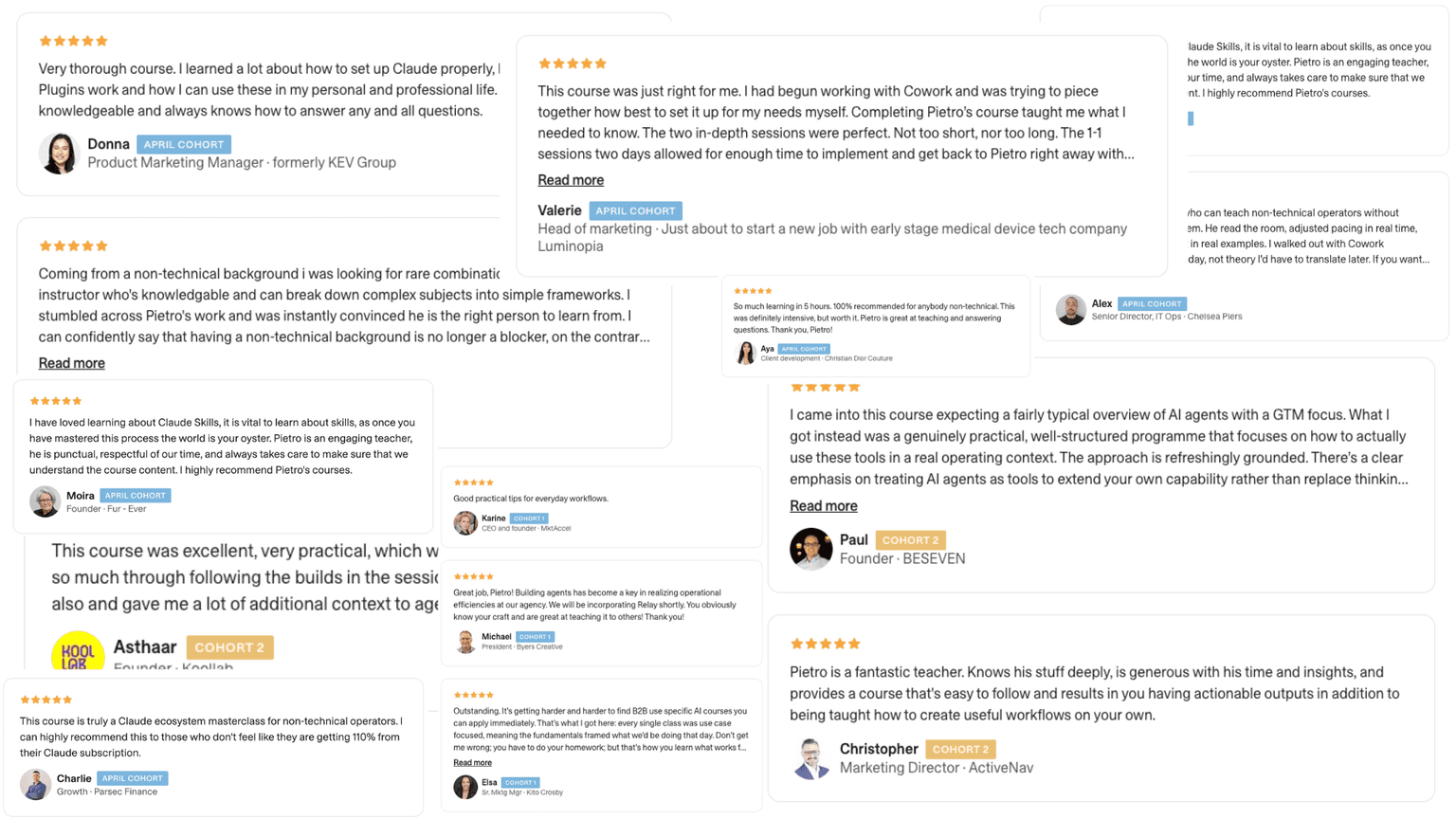
Growth Advisor @ Self-employedPietro is a fantastic teacher. Knows his stuff deeply, is generous with his time and insights, and provides a course that's easy to follow and results in you having actionable outputs in addition to being taught how to create useful workflows on your own.

Christopher
Marketing Director · ActiveNav
Post Course Feedback Recorded :)
Sylvia Kuyel Testimonial (April Cohort)
Donna Cantrill - Testimonial
Wall of Love
Frequently asked questions
Maven for Teams
Reimbursement
Get your company to pay
Everything L&D needs: email template, receipts, and certificate of completion.
Get reimbursedTeam discount
Learn with your teammates
Save 20%+ when 2 or more teammates enroll in the same cohort.
Save 20%+ with a teamPrivate cohort
Run a cohort for your org
A dedicated cohort with a custom schedule and curriculum, tailored to your team.
Book a private cohort$699
USD