The AI Designer's Knowledge Base

João Ventura
Product Designer @Maven
Your AI is only as good as what it knows about you
Every time you start a new AI conversation, you start from scratch. It doesn't know your design principles, your preferred tools, your past decisions, or how you like to work. This free guide shows you how to build a personal knowledge base that your AI tools can actually read — so Claude Code, Cursor, or any AI assistant you use becomes a true design partner, not a generic chatbot. The setup takes about an hour. The payoff compounds forever.
How it works
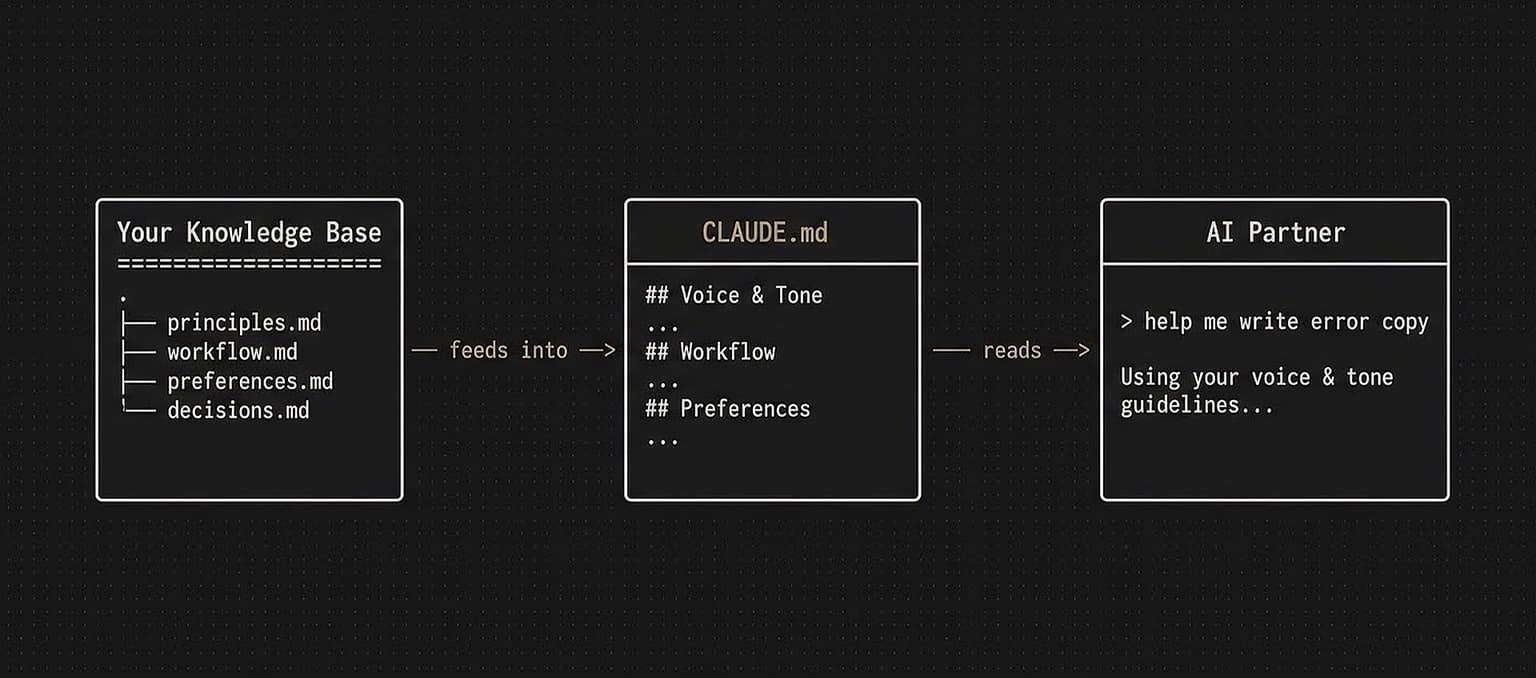
One system that makes every AI conversation smarter than the last.
What you'll set up
1. The Obsidian vault structure — A minimal folder setup designed for AI consumption. Not a complex system — just the 4-5 files that matter most: your design principles, your workflow documentation, your tool preferences, and your decision log.
2. Your CLAUDE.md file — The instruction file that tells AI how to work with you. I'll share my actual CLAUDE.md as a starting template — the one I use every day. You'll customize it for your own process.
3. The feedback loop — How to update your knowledge base as you work so it gets better automatically. No extra effort — it's built into how you already use your tools.
4. Prompt templates — 5 ready-to-use prompts for common design tasks (UX copy, design critique, research synthesis, component specs, user flow mapping) that reference your knowledge base for personalized outputs.
Generic AI vs. your AI
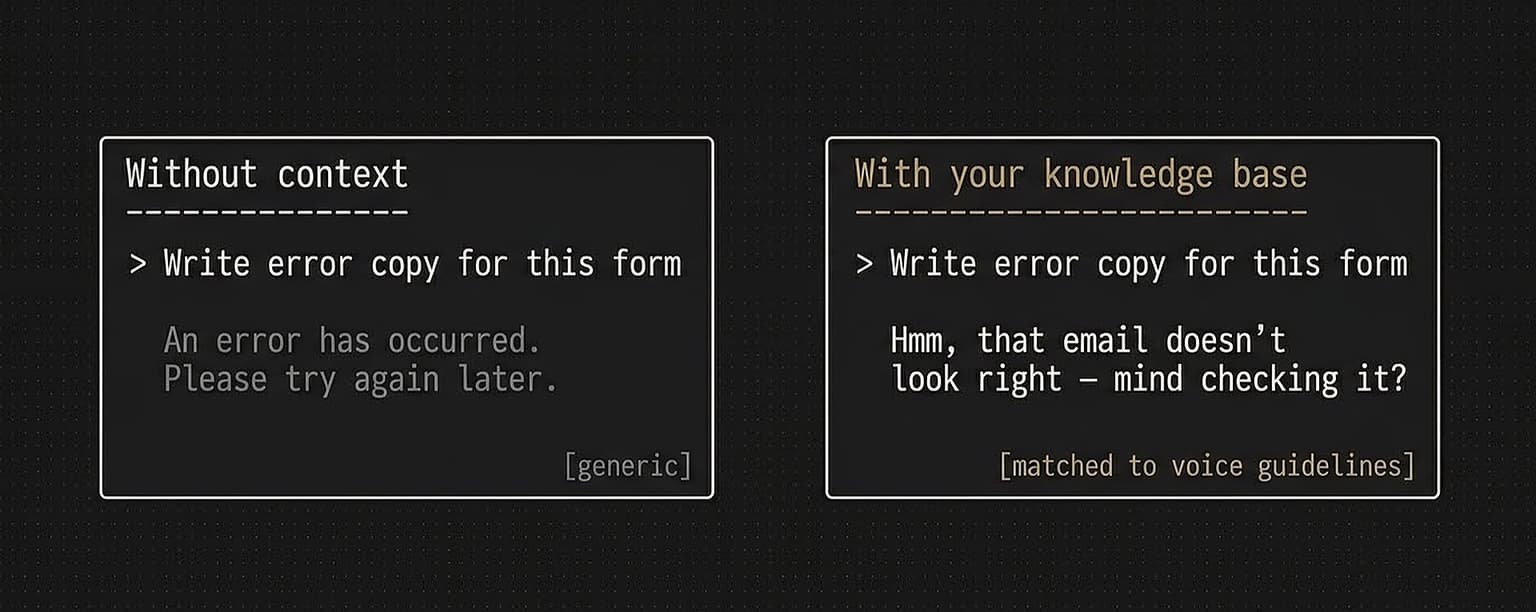
Built for designers who use AI daily
This guide is for you if:
You use Claude Code, Cursor, or similar AI tools in your design work
You're tired of re-explaining your preferences every conversation
You want AI outputs that actually match your design standards
You use (or want to use) Obsidian for notes
No coding required. If you can create a folder and write a markdown file, you can set this up.
Why I'm sharing this
I built this system for myself. It changed how I work with AI — from fighting generic outputs to having a partner that knows my process. I'm sharing it because the more designers who set this up, the faster our industry figures out what AI-augmented design actually looks like. If you find it useful and want to go deeper, I offer a hands-on consultancy where we set up your full AI workflow together.