Arktawi Pro | Turn Your Phone Into a Blender Virtual Camera

Fabio Roncal
AI Creative Technologist, Art Director & 3D Generalist with 20+ years in design.
Meet Arktawi Pro
Move and aim it while watching the scene live, adjust focus and zoom, and record the camera movement
Your Phone. Your Camera. Your Blender Scene.
Meet Arktawi Pro, a wireless virtual camera controller for Blender.
Turn your smartphone into a handheld virtual camera and explore your 3D scenes with natural, intuitive movements.
Instead of manually positioning cameras and setting keyframes, physically direct your shots using your phone's gyroscope and touchscreen controls.
Whether you're creating cinematic animations, exploring virtual environments, or preparing camera motion references for AI-generated videos, Arktawi Pro brings a more hands-on filmmaking experience to Blender.
What can you do with Arktawi Pro?Live Camera Viewfinder: See your Blender scene directly on your phone while controlling the camera.
Gyroscope Camera Control: Aim and rotate the virtual camera by moving your phone.
Virtual Camera Movement: Navigate your scenes using dedicated MOVE and DOLLY joysticks.
Professional Camera Controls: Adjust zoom, focus, depth of field, autofocus and stabilization from the phone interface.
Record Camera Animation: Capture camera movements as editable keyframes directly inside Blender.
Photo Mode: Create camera snapshots to explore different compositions.
Viewport Video Recording: Save preview-quality clips of your virtual camera movements for reference.
AI Video Workflows: Use recorded camera references to guide camera movement in compatible generative AI video tools.
Arktawi Pro isn't just a virtual camera controller.
It's also a bridge between traditional 3D filmmaking and emerging generative AI workflows.
Block your camera movements in Blender, record a reference, and use that footage to communicate your intended camera motion to AI video generation tools.
The final AI result depends on the capabilities of the tool you use, but Arktawi Pro gives you a practical way to design the movement first.
What's Included?Arktawi Pro v0.6.4 Beta Blender add-on
Source code
Installation and setup documentation
Phone pairing guide
Legal and privacy notices
Designed for Blender, using a local Wi-Fi connection between your computer and smartphone.
iPhone with Safari is the primary supported phone setup. First-time iPhone configuration requires trusting a local certificate and verifying its fingerprint.
Phone video recording depends on browser encoding capabilities, and exported viewport clips are intended as motion references rather than final-quality renders.
See Arktawi Pro in Action
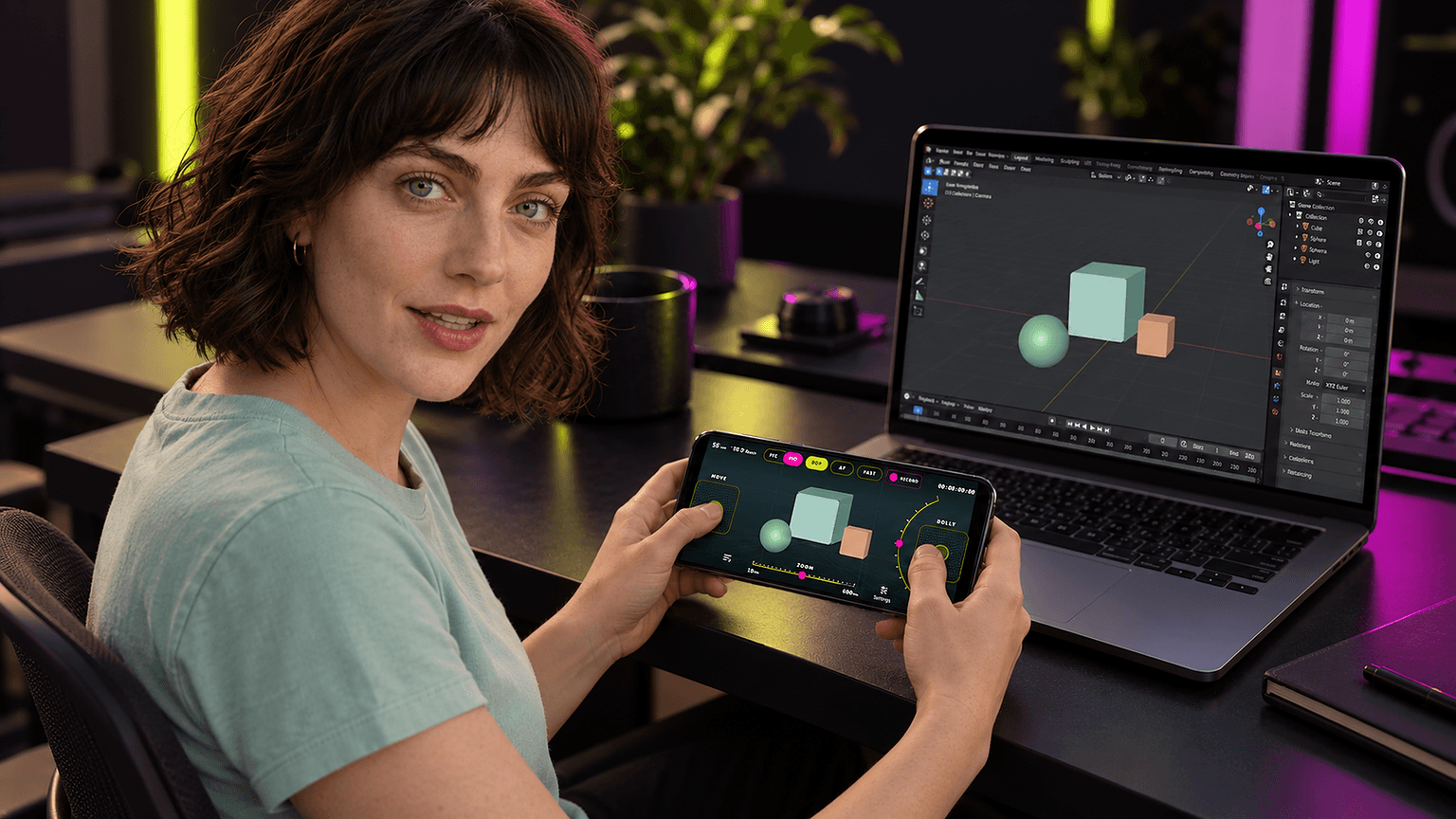
Bring real camera movement into your virtual worlds.